Google Docs Budget Template
Plan your budget with this free Google Docs budget template. A clean, printable document for tracking income, expenses, and monthly savings. No signup required.
Free
No signup
Excel, CSV
Finance
2026-06-19
What Is This Docs Budget Template?
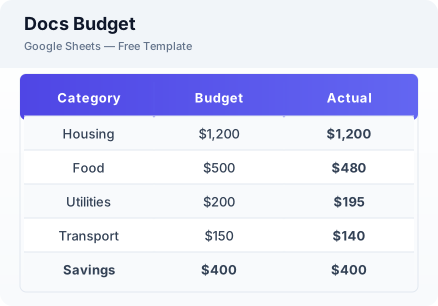
This Google Docs budget template is a free spreadsheet for planning monthly finances in a clean, document-style layout. It tracks income, fixed and variable expenses, and savings with automatic calculations — perfect for printing or digital use.
Why Use a Google Sheets Docs Budget Template?
A budget template helps you plan where your money goes each month. This template combines the ease of a document with the calculation power of a spreadsheet, giving you a simple but effective budgeting tool.
When Should You Use This Docs Budget Template?
Use this template at the start of each month to plan your spending and savings. It is ideal for budget beginners who prefer a clean, straightforward layout. For more detailed tracking, use the budget planner or expense tracker templates.
What's Included
- ✓Monthly income sources
- ✓Fixed expense list
- ✓Variable expense list
- ✓Savings allocation
- ✓Total calculation
- ✓Budget summary
How to Use This Template
Who This Template Is For
Available Formats
Excel (.xlsx) — Download the file and open it in Microsoft Excel, Apple Numbers, or any compatible spreadsheet application.
CSV — Download the comma-separated values file for use in data applications, databases, or legacy spreadsheet software.
Customization Tips
- 💡Customize expense categories to match your actual spending habits.
- 💡Print a copy to post on your fridge as a visual reminder of your budget goals.
- 💡Create a new copy each month to track changes in your income and expenses.
Use Cases
- Printable budget planning
- Monthly expense tracking
- Savings goal documentation
Download or Copy
Frequently Asked Questions
Related Templates
Last updated: 2026-06-19