CRM Template for Excel
Manage client relationships with this free Excel CRM template. Track leads, contacts, and follow-ups in a familiar spreadsheet. Also works in Excel. No signup required.
Free
No signup
Excel, Sheets, CSV
Business
2026-06-17
What Is This CRM Excel Template?
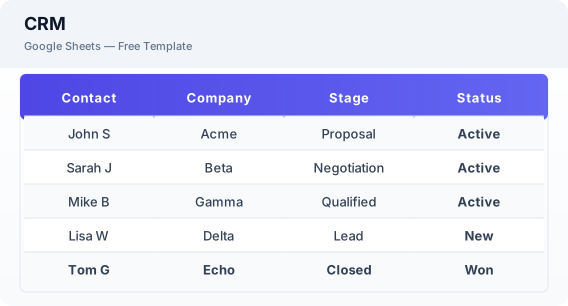
This Excel CRM template is a free spreadsheet for managing client relationships and tracking sales leads. It includes contact management, pipeline tracking, interaction logging, and follow-up scheduling — essential CRM functionality without the cost.
Why Use a Google Sheets CRM Excel Template?
An Excel CRM gives you the core features of expensive CRM software at zero cost. You can track leads, manage contacts, and log interactions in a tool you already know how to use.
When Should You Use This CRM Excel Template?
Use this template when you need a simple system to manage contacts, track sales leads, and schedule follow-ups. It works alongside the sales tracker for pipeline analytics and the invoice tracker for billing.
What's Included
- ✓Contact name & company
- ✓Email & phone
- ✓Lead source
- ✓Deal value & stage
- ✓Follow-up date & activity log
- ✓Status tracking
- ✓Notes & tags
How to Use This Template
Who This Template Is For
Available Formats
Google Sheets — Copy the template directly to your Google Drive. You can edit, share, and use it online from any device.
Excel (.xlsx) — Download the file and open it in Microsoft Excel, Apple Numbers, or any compatible spreadsheet application.
CSV — Download the comma-separated values file for use in data applications, databases, or legacy spreadsheet software.
Customization Tips
- 💡Use Excel filters to view contacts by status, source, or follow-up priority.
- 💡Create separate sheets for leads, active clients, and past clients.
- 💡Add conditional formatting to highlight follow-ups due this week.
Use Cases
- Small business CRM
- Lead & contact management
- Sales pipeline tracking
Download or Copy
Frequently Asked Questions
Related Templates
Last updated: 2026-06-17